If you’ve ever wished you could turn back time to play Wrath of the Lich King without paywalls, tweak drop rates to make rare mounts easier to farm, or mess around with custom quests only your friend group gets to experience, you’ve probably wondered how to create a World of Warcraft private server. I’ve set up three different private servers for my own friend groups over the last six years, ranging from a tiny 5-person Vanilla WoW server to a 200-player WotLK server with custom events, so I’ve worked through all the common bugs and headaches to put together a no-fluff guide that works for total beginners. You don’t need advanced coding skills to pull this off, but you do need to follow a few key rules to avoid legal issues, performance crashes, and corrupted save files down the line.
What You Need Before You Start to Create a World of Warcraft Private Server
First, let’s go over the core requirements to make sure you don’t waste time downloading files you can’t use. The biggest mistake new server owners make is grabbing a random server pack from an untrusted site before they figure out what expansion they want to run, which almost always leads to malware or broken files. Start by picking the WoW expansion you want to host first, since all other tools depend on that choice.
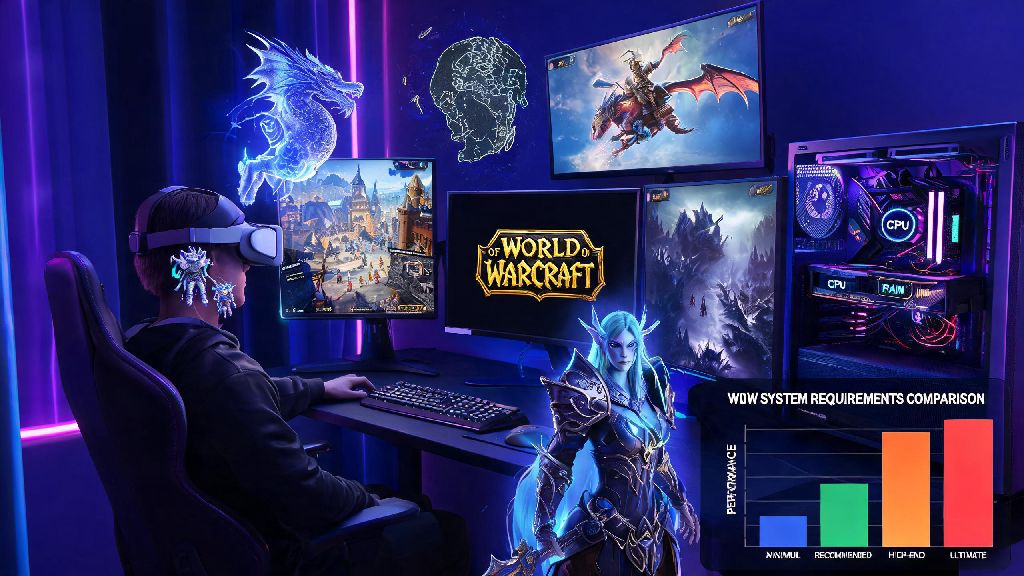
Minimum hardware specs for small servers (under 20 players) are 8GB of RAM, a 4-core CPU, and 50GB of free SSD storage. If you plan to host more than 20 players or run lots of custom events, bump that up to 16GB of RAM, a 6-core CPU, and 100GB of SSD storage. HDDs will cause terrible lag even for small groups, so don’t try to cut corners here.
Important legal reminder: Blizzard owns all World of Warcraft intellectual property, so private servers are for personal, non-commercial use only. You can’t charge for access, sell in-game items, or host the server publicly for profit without risking a DMCA takedown. Most small hobby servers for friend groups never run into issues, as long as they don’t advertise publicly or monetize access.
You’ll also need three core software tools: the official WoW client matching your chosen expansion, an open-source server core like AzerothCore or TrinityCore, and a free database management tool like HeidiSQL. All of these tools are available for free, and you don’t need to pay for any premium server packs to get a fully functional build. If you want friends outside your home network to join, you can either port forward your router or use a free tool like Hamachi for smaller groups to avoid exposing your home network to unnecessary security risks.
Step-by-Step Setup for Your First WoW Private Server
Once you have all your materials gathered, the actual setup process only takes about an hour for most beginners. Start by installing your database management tool first, then import the pre-built SQL files that come with your chosen server core. These files include all the quest data, mob spawn points, and item stats you need for a fully functional server, so you don’t have to build everything from scratch.
Always download server cores from official, verified open-source repositories to avoid malware that’s often bundled with random “pre-built server packs” from untrusted forum threads. I made this mistake on my first server, and ended up having to wipe my entire computer to get rid of adware that came with the pack.
Next, edit the server configuration files to match your hardware specs and desired gameplay rules. You can adjust everything from maximum player count to how often the server auto-saves player progress here. Don’t skip the testing step before you invite friends: launch the server on your own computer first, log in with a test account, and make sure quests work, mobs spawn correctly, and there are no obvious error messages in the server console.
Once you confirm the server works locally, set up external access for your friends. If you’re using Hamachi, just share the network ID and password with your group, and have them connect to your server’s Hamachi IP address. If you’re port forwarding, make sure you only open the required ports (3724 and 8085 for most WoW cores) and set up a firewall rule to block unexpected traffic to your home network.
Common Customization Options to Tweak Your Server
The best part of running your own private server is that you can adjust almost every rule to fit what your group wants to play. I’ve tested dozens of customization options over the years, and these are the most popular tweaks for small friend group servers:
- Adjust experience and drop rates: You can set XP gain anywhere from 1x (official rate) to 10x if you want to level fast and get to endgame content quickly. Many groups pick 3x for a good balance between progression speed and the classic grind feel.
- Enable custom commands for admins: You can give yourself and trusted friends access to commands that let you spawn items, teleport anywhere, or revive the entire raid if you wipe on a tough boss for the 10th time.
- Add custom quests or events: If you have basic SQL skills, you can add custom quests with unique rewards, or schedule double XP weekends, rare mount spawn events, or even PvP tournaments with special prizes for winners.
- Disable unwanted gameplay features: You can turn off cross-faction battlegrounds, remove dungeon lockouts, or even disable the rested XP system if you want a more authentic old-school WoW experience.
Just make sure you save a backup of your server files and database before you make any big customization changes. I’ve messed up my own server twice by adding a broken custom quest that corrupted the entire database, and having a backup saved me days of work rebuilding everything from scratch. You can set up auto-backups to run every 24 hours in your server config file, so you don’t have to remember to do it manually.
How to Fix Common Private Server Issues Without Advanced Tech Skills
Even if you follow every step perfectly, you’ll probably run into a few bugs or performance issues when you first launch your server. The most common problem I see for new server owners is lag when more than 10 people are online at the same time. That’s almost always caused by not allocating enough RAM to the server in the config file, or storing the server files on a hard drive instead of an SSD.
If you’re running into consistent lag, move your server files to an SSD first – that fixes 80% of performance issues for small servers right away. If that doesn’t work, check your server console to see if there are any error messages caused by broken custom content you added. Even a single misconfigured custom item can cause server-wide lag if it’s not added to the database correctly.
Another common issue is friends being unable to connect. That’s usually a firewall or port forwarding problem: double check that you’ve opened the correct ports, that your firewall isn’t blocking the server application, and that your friends are using the correct client version that matches your server core. Even a small client patch mismatch will prevent players from logging in, so make sure everyone in your group uses the exact same client build.
Quest or mob bugs are another common problem, especially if you’re using a less stable core for a newer expansion. Most of these bugs have already been fixed in the latest core updates, so you can just pull the latest build from the official repository and update your server files to fix them. You don’t need to rebuild the entire database to update the core, just make sure you back up your data first before you make any changes.
At the end of the day, you don’t need to be a tech genius to figure out how to create a World of Warcraft private server that’s perfect for you and your friends. I set up my first server when I was still in college with zero coding experience, and it ended up being one of the most fun ways I stayed in touch with friends who moved across the country after graduation. Start small with a 5-10 person server for your first run, test everything locally before you invite other people, and don’t be afraid to mess around with custom settings to make the server feel like your own. As long as you follow the legal rules and back up your data regularly, you’ll have a custom WoW experience you can’t get on any official server.