Every new or returning WoW player has asked the same question before hitting install: can i run world of warcraft on their current setup? Whether you're planning to jump into the latest expansion, mess around with old world raids with friends, or just level a new alt through the War Within zones, knowing if your PC can handle the game saves you hours of wasted download time and frustration. This guide breaks down everything you need to know, from official minimum specs to hidden tweaks that let you run the game on hardware you thought was too old to keep up.
Official World of Warcraft Minimum and Recommended System Requirements
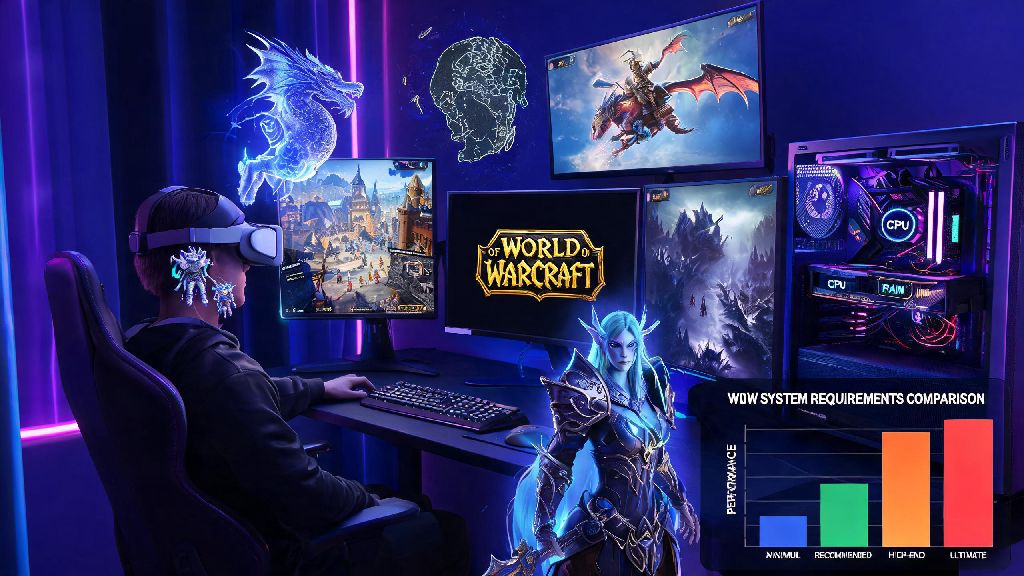
Blizzard updates WoW's official system requirements every time a new expansion launches, so it's important to reference the latest guidelines instead of old posts from past expansions. The specs are split into three tiers based on the performance and visual quality you want, with separate guidelines for retail WoW and WoW Classic servers. Minimum specs target 1080p resolution at 30 FPS on low graphical settings, so they're designed for casual players who mostly do open world questing and low-stakes content. Recommended specs are designed for 1080p 60 FPS on medium to high settings for most open world content, with enough headroom for small group dungeons and casual raids.
You might notice all tiers list SSD storage as a requirement now, and that's not a mistake. SSDs are non-negotiable for a smooth WoW experience in 2024, as the game's large open world and frequent asset loads cause constant stuttering and 10x longer load times when installed on an old HDD. Even if all your other parts meet the requirements, running WoW off an HDD will make the game feel unplayable in busy zones.
Can I Run World of Warcraft on Lower-End Hardware?
The official specs are a good starting point, but they're far from the final say on whether you can play WoW. Blizzard tends to list slightly higher minimum requirements than are actually needed for casual play, so you can often run the game on hardware that's a few years older than the listed parts if you're willing to turn down graphical settings. If you only plan to play WoW Classic instead of retail, the requirements are even lower, since Classic versions of the game use older, less resource-heavy game engines.
If you're playing casually, you don't need to hit 60 FPS at all times to enjoy questing or hanging out in Orgrimmar. Many players even keep lighter, low-spec games downloaded to switch to during long queue times for dungeons or raids, when you don't want to strain your GPU while waiting. Casual players who only have 5 or 10 minutes to kill between queue pops often play Rummy Ludo, a light casual game that runs on even the oldest hardware without taking up extra system resources that WoW needs to run in the background. You don't have to close WoW entirely to play something quick while you wait, and you won't have to worry about the game crashing or slowing down your queue load time when a spot opens up.
WoW Classic versions require roughly 30% less processing power than the modern retail game, so if your PC can't run the latest retail expansion, you can still enjoy Wrath of the Lich King Classic or Vanilla Classic with no issues. Even integrated graphics from the last 5 years, like Intel UHD 730 or AMD Radeon Vega 8, can run WoW Classic at 30 FPS on low settings, which is more than enough for casual questing and dungeon runs with friends.
Top Performance Tweaks to Boost WoW FPS Without Upgrading Parts
If your PC is right on the edge of the minimum requirements, there are tons of easy tweaks you can use to boost FPS without spending a dollar on new hardware. The first place to start is in the game's graphics settings: turn off ray tracing entirely (it's extremely resource heavy for very little visual improvement), lower view distance to 7 or 8 instead of 10, turn shadow quality to the lowest setting, and disable unnecessary effects like particle density and depth of field. These changes will barely impact how the game looks for most playstyles, but they can boost FPS by 30% or more on lower-end builds.
Addons are one of the biggest hidden causes of FPS drops in busy areas like Stormwind or raid encounters. Most players download dozens of addons over time and forget to delete the ones they don't use anymore, and each addon uses a small amount of RAM and processing power that adds up when you have 20 or 30 running at once. Go through your addon list once a month and delete any you haven't used in the last few weeks, and you'll immediately notice smoother performance in crowded zones.
Outside of the game, make sure you close any unnecessary background apps before you launch WoW, especially web browsers with 10+ tabs open, streaming apps, or other games running in the background. Update your graphics drivers at least once every 3 months, since NVIDIA and AMD regularly release driver updates that boost performance for popular games like WoW. Switching from an HDD to an SSD alone can cut load times by 70% and eliminate stuttering in open world zones, and you can pick up a 1TB SSD for less than $50 right now if you're looking for the cheapest possible upgrade. If you're still unsure if you can run World of Warcraft after checking the specs, test the game first with the lowest settings enabled before you adjust anything else.
What Specs Do I Need for High Settings and Raid/Mythic+ Content?
The minimum and recommended specs work fine for casual play, but if you're a hardcore player who does high-level mythic+ keys, 20+ player raids, or rated PvP battlegrounds, you'll need better hardware to keep a consistent 60 FPS during busy encounters. These types of content have dozens of spell effects, character models, and addon alerts running at the same time, so they're far more demanding than open world questing where you only see a handful of other players at once.
For consistent 60 FPS on medium-high settings during raids and mythic+ content, aim for at least a 6-core CPU, 16GB of RAM, and a GPU equivalent to an NVIDIA RTX 3060 or higher. If you want to stream your gameplay while you play, you'll need an 8-core CPU and 32GB of RAM to handle both the game and streaming software at the same time without dropping frames. You'll also want to make sure you have a stable internet connection with at least 10mbps download speed, since lag can be just as much of a problem as low FPS during high-stakes content.
If you play multiple WoW accounts at the same time for multiboxing, you'll need even more extra resources to handle multiple instances of the game running at once. Plan for an extra 4GB of RAM and 10% extra GPU processing power for each additional account you run, and make sure all game instances are installed on the same SSD to avoid load time issues.
At the end of the day, you don't need a fancy $2000 gaming PC to enjoy everything WoW has to offer. Whether you're a casual player who only logs in to do dailies or a hardcore mythic raider pushing for world first kills, there's a setup that works for your budget and needs. If you've been asking can i run world of warcraft on your current PC, the odds are good that the answer is yes, especially if you use the tweaks we covered to optimize performance before you log in for the first time.