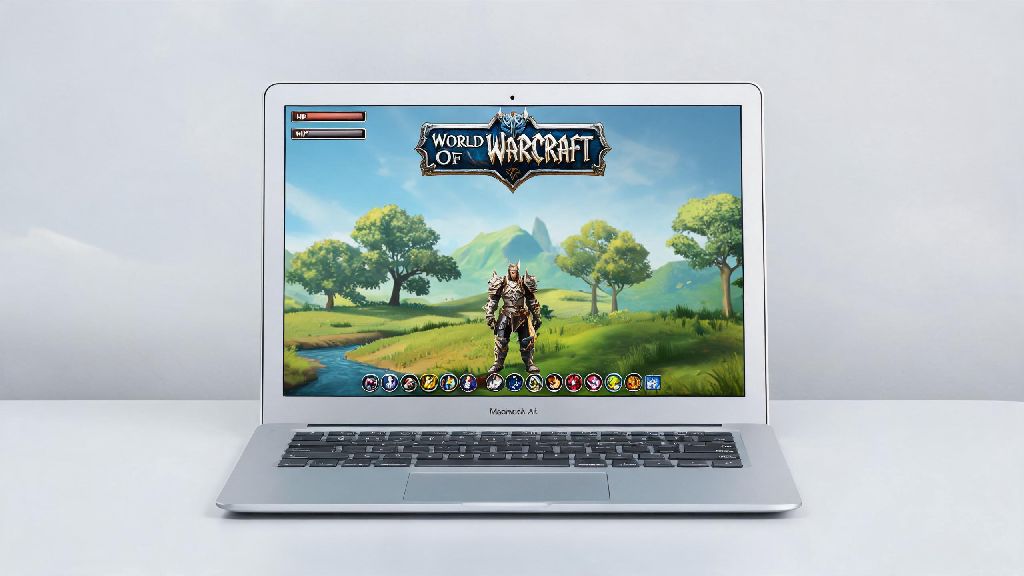
If you’re a Mac user who’s been eyeing the latest World of Warcraft expansion or craving a return to Azeroth after a break, the first question you’re probably asking is does world of warcraft run on mac. I’ve tested WoW on three different Mac models over the past six years, from an old 2018 Intel MacBook Pro to a 2023 M2 Air, so I can walk you through exactly what to expect, no technical jargon required. You don’t have to shell out for a separate gaming PC to enjoy raids, mythic dungeons, or casual open world exploration, but there are a few key details you need to know before you hit download.
Does World of Warcraft Run on Mac: Compatibility Breakdown
If you’ve ever searched for does world of warcraft run on mac on forums, you might have seen conflicting info about Intel vs Apple Silicon support, but that’s mostly outdated now. Blizzard has offered full native support for all Mac models for years, and you don’t need third-party emulation tools to run any version of the game, including Retail WoW, Classic WoW, and all expansion-specific classic servers.
For Intel Macs, you’ll need a 2016 or later model with at least 8GB of RAM, macOS 12.0 or higher, and 70GB of free storage to run the game smoothly. For Apple Silicon Macs, every M1 or later model is supported, even base MacBook Airs with only 8GB of unified memory. Blizzard offers native Apple Silicon support for all WoW clients, so you don’t need to use Rosetta 2 emulation to run the game anymore, which cuts out a huge amount of performance lag.
The only Mac models that will struggle are 2015 or older Intel machines. They may be able to launch the game, but you’ll get unplayable frame rates even on the lowest settings, and you’ll likely face frequent crashes during busy content like raids or battlegrounds.
Expected WoW Performance on Different Mac Models
Most casual players who ask does world of warcraft run on mac don’t need 144fps for questing or casual dungeons, so even base models are more than enough. For a base M1 or M2 MacBook Air, you can expect 50-60fps on 1080p medium settings in open world zones, and 30-40fps during 25-man raids or large battlegrounds. I’ve raided full heroic tiers on my M1 Air without any issues, and the only time I ever noticed frame drops was during 40-man classic battlegrounds, and even then it was still playable at around 30 fps.
If you have an M1 Pro, M2 Pro, or higher tier chip, you can bump settings up to high or ultra for 1080p or 1440p resolution, and you’ll get a steady 60+ fps in almost all content. Mac Studio or iMac models with M2 Max or Ultra chips can even run 4k max settings with ray tracing enabled, though ray tracing on Mac still has a lot of room for improvement. Base M-series MacBooks can easily handle casual WoW play without any upgrades, but you’ll need a higher-tier Pro model for competitive high-fps play in mythic raids or rated PvP.
Intel Mac users will have a more mixed experience. A 2018 or later Intel MacBook Pro can run WoW on 1080p low to medium settings at 30-45fps, but the fan will run almost constantly, and you may notice thermal throttling during long play sessions. Older Intel models will struggle to hit 30fps even on the lowest settings.
Simple Tweaks to Improve WoW Performance on Mac
Even if your Mac meets the minimum specs, you can make a few quick changes to get smoother fps and avoid crashes mid-raid. I use these tweaks every time I set up WoW on a new Mac, and they usually give me a 15-20% fps boost with almost no downside to visual quality.
- Turn off ray tracing entirely: Mac GPUs don’t handle this feature well right now, and disabling it can raise your fps by 20+ fps in dense zones like Valdrakken or Orgrimmar.
- Lower the view distance slider to 7 or 8: You won’t notice much difference in most content, but it cuts down on the amount of terrain your Mac has to render at once, which makes a huge difference in open world zones.
- Close all background apps before launching WoW: Browsers with 10+ open tabs, streaming apps, and cloud storage sync tools take up RAM that the game needs to run smoothly.
- Make sure your Mac is plugged in if you’re using a laptop: Battery mode automatically reduces performance to save power, which will drop your fps by 30% or more in most cases.
You should also make sure you’re running the latest version of macOS and the WoW client, as Blizzard regularly releases patches that improve performance for Mac users. One common mistake I see people make is downloading the Windows version of WoW via Parallels or another virtual machine, which will give you way worse performance than the native Mac client. Always download the native Mac version of WoW from the Battle.net launcher for the best possible performance.
Common WoW on Mac Issues and How to Fix Them
Even with native support, you may run into small issues when playing WoW on Mac, but most of them have simple fixes that take less than 5 minutes to implement. The most common issue is the game crashing on launch, which is almost always caused by corrupted game files or an outdated macOS version. First try restarting your Mac, then verify your game files via the Battle.net launcher’s scan and repair tool, which will replace any broken files automatically.
Another frequent complaint is sudden fps drops during raids or large group content. This is usually caused by too many add-ons running at once, or nameplates enabled for all nearby players. Try disabling any add-ons you don’t actively use, and turn off nameplates for enemy players or non-party members during large group content to cut down on GPU load. If you experience frequent crashes, make sure you haven’t enabled any outdated add-ons that aren’t compatible with the latest WoW patch and Mac OS version. I ran into this exact issue last year when the Dragonflight patch dropped, and all I had to do was disable 2 outdated add-ons I hadn’t used in months to get the game running perfectly again.
If you’re running out of storage space for WoW, you can install the game on an external SSD with no noticeable difference in load times or performance. Just make sure you’re using a USB 3.0 or higher SSD, as older external hard drives will have slow load times that make the game frustrating to play.
At the end of the day, you don’t have to choose between using a Mac and playing your favorite MMO. We already answered the core question of does world of warcraft run on mac, and the short answer is a resounding yes for almost all Mac models released in the last 7 years. You don’t need a high-end gaming rig to enjoy everything Azeroth has to offer, and the small tweaks we covered will make your play experience smooth even on lower-spec machines. If you’re still on the fence, you can always download the free starter edition of WoW to test performance on your specific Mac before paying for a subscription. It takes less than an hour to install, and you can play up to level 20 completely for free to see if it runs well enough for your needs.