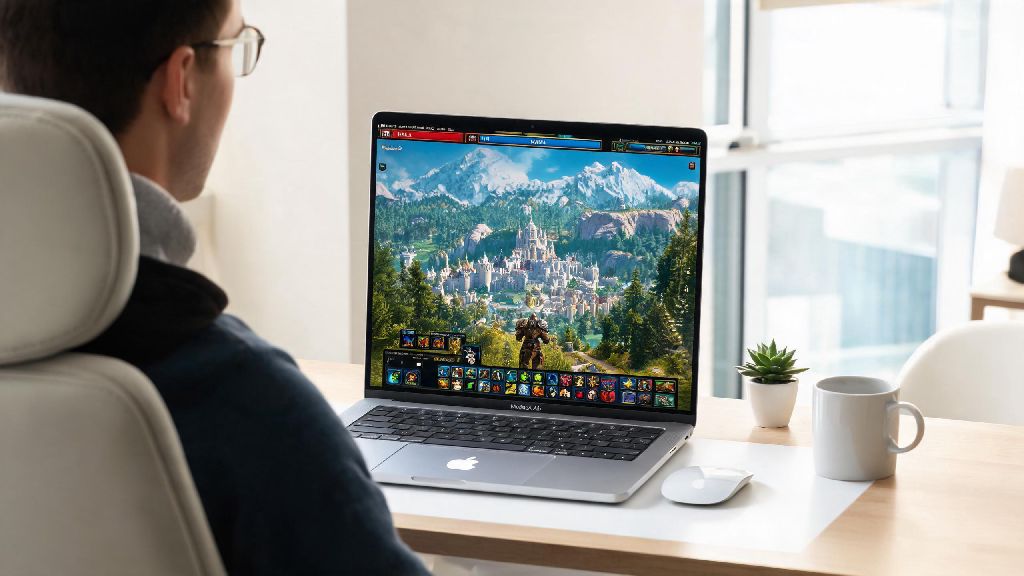
If you're a World of Warcraft fan who travels often, uses a MacBook Pro for work, or recently switched to Apple from a Windows PC, you've probably asked one question first: can you run World of Warcraft on a MacBook Pro? For years, Macs had a reputation for being terrible for gaming, especially for big AAA MMOs like WoW. But between Blizzard's ongoing support for macOS and the massive performance gains of Apple's M-series chips, that narrative has shifted a lot in recent years. This guide breaks down exactly what you can expect, from minimum specs to optimal settings to common fixes for annoying issues.
Minimum & Recommended Specs to Run World of Warcraft on a MacBook Pro
Blizzard has supported macOS for WoW for decades, so even older MacBook Pro models can run the game if they meet basic requirements. The bar changes a little depending on if you're playing retail WoW (with the latest The War Within expansion) or Classic WoW, which has far lower system demands. For reference, all specs listed below apply to the latest retail version of the game unless stated otherwise.
The minimum specs for playable 30fps on medium 1080p settings are: 2018 or later Intel MacBook Pro with a 2.3GHz quad-core i5 processor, 8GB of RAM, 2GB of dedicated VRAM, and macOS 12 Monterey or newer. If you're playing Classic WoW, you can drop that to a 2016 Intel model, as older expansions have far less detailed textures and open world assets.
For a smooth 60fps experience on medium to high settings, we recommend any M-series MacBook Pro (even the base M1 13-inch model) with 16GB of unified memory. WoW has full native Apple Silicon support, so you don't need to run it through Rosetta 2 translation, which gives you a 25-30% performance boost over emulated Windows versions of the game. Higher-end M2 Pro and M3 Pro models can even handle 1440p high settings at 60fps for most content, aside from crowded capital cities or large 20+ man raids.
You'll want to avoid pre-2018 Intel MacBook Pro models if possible. These often have underpowered graphics cards and limited cooling, so they'll throttle hard after 30 minutes of play and struggle to hit even 30fps on low settings for the latest expansions.
Optimal In-Game Settings for Stable Frame Rates on MacBook Pro
You don't have to crank every setting to low to get playable performance on a MacBook Pro. There's a clear sweet spot between visual quality and frame rate that most players won't even notice the difference with. These settings work for both Intel and M-series models, and you can tweak them higher if you have a higher-end 14 or 16-inch Pro model.
- Set Graphics API to Metal: This is Apple's native graphics framework, and it's 20-30% faster than the older OpenGL option on all Mac models. It also reduces stuttering during open world travel and large group content.
- Drop Texture Resolution to High instead of Ultra: You won't notice a huge visual difference in regular play, but this cuts VRAM usage by almost 40% and prevents frame drops in areas with lots of detailed textures.
- Turn off Ray Tracing and set Upscaling Quality to Balanced mode: Ray tracing is still poorly optimized for Apple Silicon, and balanced upscaling gives you a 15-20fps boost with almost no visible loss in visual quality.
- Disable Background FPS Limit: This prevents the game from dropping to 10fps when you tab out to check quest guides, Discord, or work apps between pulls.
- Set View Distance to 7: You'll still be able to see incoming mobs, quest markers, and other players from far enough away for open world play and dungeons, but it reduces the load on your GPU significantly.
If you have a 14 or 16-inch MacBook Pro with ProMotion, make sure to turn on the high refresh rate toggle in both your macOS display settings and WoW's in-game display menu. This will let you hit 120fps for smoother gameplay if your model can handle it. If you're playing on battery power, you can drop upscaling to Performance mode and turn off particle effects to get an extra hour of play time without major quality loss.
For Classic WoW players, you can crank most settings to High or Ultra even on base M1 models, since older expansions have far lower system demands. You'll only need to dial things back if you're in crowded Classic-era cities like Orgrimmar or Stormwind during peak server hours.
Common Issues Running WoW on MacBook Pro (And How to Fix Them)
Even if your model meets all the specs, you might run into small issues that ruin your play session. Most of these are easy to fix without any special tools, and they're usually related to software conflicts rather than hardware limitations.
Launch crashes after an expansion update are the most common issue reported by Mac users. The fix is almost always to delete your WTF, Cache, and Interface folders from your WoW game folder, then verify your game files through the Battle.net launcher. This removes corrupted add-on files and old config data that conflicts with new expansion patches. Never download third-party "WoW Mac optimization" tools, most of them are malware, and all the fixes you need are either built into the game or macOS itself.
Overheating and performance throttling are another common issue, especially for 13-inch MacBook Pro models that have less robust cooling. If you notice your frame rate dropping after an hour of play, check if the bottom of your laptop is hot to the touch. The easiest fix is to use a cheap laptop stand to prop it up and improve airflow, and avoid playing on soft surfaces like beds or couches that block the vents. Keeping your laptop cool can boost your frame rate by 10-15fps in most content.
Stuttering during raids or big open world events usually happens when your RAM is maxed out. Close any unused apps like Chrome, Photoshop, or streaming services before you launch the game, as these eat up memory that WoW needs to run smoothly. If you have an 8GB RAM model, you might also want to disable less essential add-ons during 20+ man raids to cut down on memory usage.
Minor mouse lag is another common complaint for users who game with third-party mice instead of the trackpad. The fix is to turn off mouse acceleration in your macOS mouse settings, and disable the "Enhance Mouse Precision" toggle in WoW's in-game controls menu. This removes the weird acceleration curve that makes mouse movement feel floaty or unresponsive.
Is It Worth Playing World of Warcraft on a MacBook Pro?
The answer depends entirely on what you want out of your WoW play experience, but for most players, it's absolutely worth it. There are some clear perks to playing on a MacBook Pro that you won't get with a standard Windows gaming laptop, plus a few downsides to consider before you commit.
The biggest perk is portability. You can play WoW on flights, at a friend's house, or in hotel rooms on work trips without hauling a heavy 17-inch gaming laptop around. I've personally played full heroic raid clears on my M1 16-inch MacBook Pro from a hotel room during a work trip, and I barely noticed any difference from my home Windows desktop on medium settings. You also don't need to install Windows via Boot Camp to play, which saves you 50+ GB of storage space and the hassle of setting up a separate Windows partition.
The main downside is that even high-end M3 Pro models can't match the performance of a mid-range Windows gaming PC. You won't be able to run the game at 4K ultra settings with ray tracing at 120fps, and you'll notice small frame drops in super crowded areas like auction houses during peak hours. You also won't have access to a small number of Windows-only advanced add-on tools that competitive raiders use, though all standard in-game add-ons work exactly the same on macOS.
If WoW is your main game, you don't need to buy a separate gaming PC just to play it on a MacBook Pro unless you're a top-tier competitive player chasing 240fps or max settings 4K. For casual players, semi-hardcore raiders, and anyone who values portability, the MacBook Pro works perfectly well for all types of WoW content.
At the end of the day, the answer to whether you can run World of Warcraft on a MacBook Pro is a resounding yes for almost all users. Even older Intel models from 2018 onwards can handle casual play and Classic WoW perfectly, and any M-series chip will deliver smooth performance for everything from questing to raiding if you use the settings we outlined. You don't need to splurge on a separate gaming laptop unless you're a competitive player chasing maximum frame rates or 4K ultra settings. For most players, your MacBook Pro is more than enough to keep you exploring Azeroth for hours, whether you're at home or on the go.