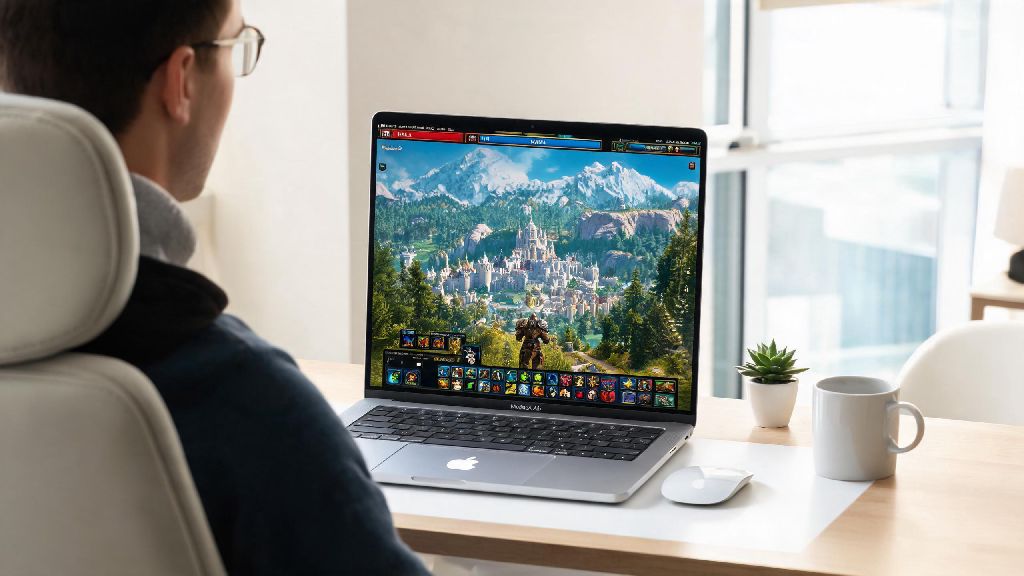
If you’re a Mac user who’s been curious about diving into Azeroth, your first question is almost certainly can you get world of warcraft on mac. I’ve been playing both retail and Classic WoW on my base model M1 MacBook Air for three years now, so I’ve tested every quirk, performance hack, and installation mistake you can think of. You don’t need to shell out for a separate gaming PC to play, though there are a few small details you’ll want to know before you start downloading.
Can You Get World of Warcraft on Mac? Supported Device Types
The short answer is a resounding yes, and you don’t need any fancy workarounds or emulation software to make it work. Blizzard has offered official Blizzard support for WoW on Mac for decades, and they rolled out a native Apple silicon build back in 2022, so M1, M2, and M3 series devices run the game without relying on Rosetta 2 translation. That means faster load times, better frame rates, and less battery drain compared to the old Intel-only build.
For Intel Macs, any device released in 2015 or later with at least 8GB of RAM and a dedicated or integrated GPU that supports Metal 2 will run the game. Older Intel Macs from before 2015 might be able to launch Classic WoW on very low settings, but retail WoW’s current graphics updates will likely be too heavy for them to handle consistently.
You don’t need a top-of-the-line Mac Pro to play either. My 2020 M1 Air with only 8GB of unified memory runs retail WoW at 50-60fps on medium settings in most open world areas, and I rarely drop below 40fps in 10-person raid groups.
Step-by-Step Process to Install World of Warcraft on Your Mac
Installing WoW on your Mac is almost identical to installing it on a Windows PC, with just a couple of small differences to watch for. First, head to the official Blizzard site to download the Battle.net desktop app for Mac — don’t download it from third-party sites, as those often come with bloatware or malware.
Once the Battle.net installer is downloaded, open it and follow the on-screen prompts to install the app to your Applications folder. You’ll need to log in with your existing Blizzard account, or create a new one if you’re a first-time player.
From the Battle.net home screen, select World of Warcraft from the list of games on the left sidebar. You’ll be able to choose which version you want to install: retail, Classic Era, Wrath of the Lich King Classic, or any other active public test realms. Before you hit install, make sure you have at least 100GB of free storage on your hard drive, as the retail version of the game takes up roughly 85GB, and patches will add more over time.
The install process can take anywhere from 30 minutes to a few hours depending on your internet speed. Don’t close the Battle.net app mid-install, as that can corrupt game files and force you to start over from scratch.
Common Performance Fixes for WoW on Mac
Even with native support, you might run into small performance hiccups if you’re playing on a base model Mac or using default in-game settings. Most of these issues are easy to fix with a few simple adjustments:
If you’re still seeing consistent frame drops below 30fps, try setting a frame rate cap of 60fps in the in-game graphics menu. This prevents your Mac from pushing too hard to render higher frames that your screen can’t even display, and it cuts down on overheating issues for fanless MacBook Air models.
I also recommend updating your macOS to the latest stable version at least once a month. Apple regularly rolls out Metal graphics updates that boost performance for popular games like WoW, so staying up to date can give you free performance gains without any extra work.
Pros and Cons of Playing World of Warcraft on a Mac
Before you commit to playing WoW full-time on your Mac, it’s worth weighing the benefits and drawbacks to make sure it fits your playstyle.
The biggest pro is how seamless the experience is for existing Apple ecosystem users. The game works perfectly with AirPods, you can alt-tab out to check guides on your iPhone or iPad without any connectivity issues, and the battery life for M series Macs is far better than most Windows gaming laptops. I regularly get 4 hours of play time on a full charge when I’m traveling, which is way more than I ever got on my old Windows gaming laptop.
Another plus is that most WoW add-ons work exactly the same on Mac as they do on Windows, since they’re built with the cross-platform Lua scripting language. You won’t have to give up your favorite raid boss mods, UI overhauls, or quality of life add-ons just because you’re on a Mac.
There are a few drawbacks to keep in mind, though. Base model Macs with only 8GB of unified memory will struggle to run the game on high settings in crowded areas like Stormwind or Orgrimmar during peak server times, or during large 25-person raid fights. If you’re a competitive high-end raider or PvP player who needs consistent 100+fps, you’ll probably want a higher spec Windows PC instead.
You also won’t have as many options for external hardware tweaks, like upgrading your GPU or RAM, since most modern Macs have soldered internal components. If you want to upgrade your setup down the line, you’ll have to buy a whole new Mac instead of just swapping out parts.
At the end of the day, the answer to can you get world of warcraft on mac is a definite yes, and it’s a great option for casual and mid-core players who already use Apple devices. You don’t need any special software or expensive upgrades to get started, and the small performance tweaks we covered will make your play experience feel just as smooth as it would on a comparable Windows PC.
I’ve put hundreds of hours into WoW on my MacBook Air, from clearing normal and heroic raids to grinding out battlegrounds with my guild, and I’ve never felt held back by my device. As long as you manage your expectations for graphics settings on lower end models, you’ll have no problem enjoying everything Azeroth has to offer on your Mac.