You're halfway through a random Dragonflight dungeon, and you spot a healer rocking the exact druid transmog you've been grinding for three months. You don't want to spam group chat with your question about where they got the headpiece, and you don't have their friend request sent yet. That's exactly when you need to know how to whisper in World of Warcraft. Whispers are the only private, direct way to talk to another player without everyone else in your group, guild, or public chat seeing your message. I've been playing WoW on and off since Wrath of the Lich King, and I still use whispers every single time I log on, whether I'm coordinating a raid spot with a friend, asking a stranger for a crafting order, or avoiding awkward group chat drama.
Step-by-Step: How to Whisper in World of Warcraft Using Default Controls
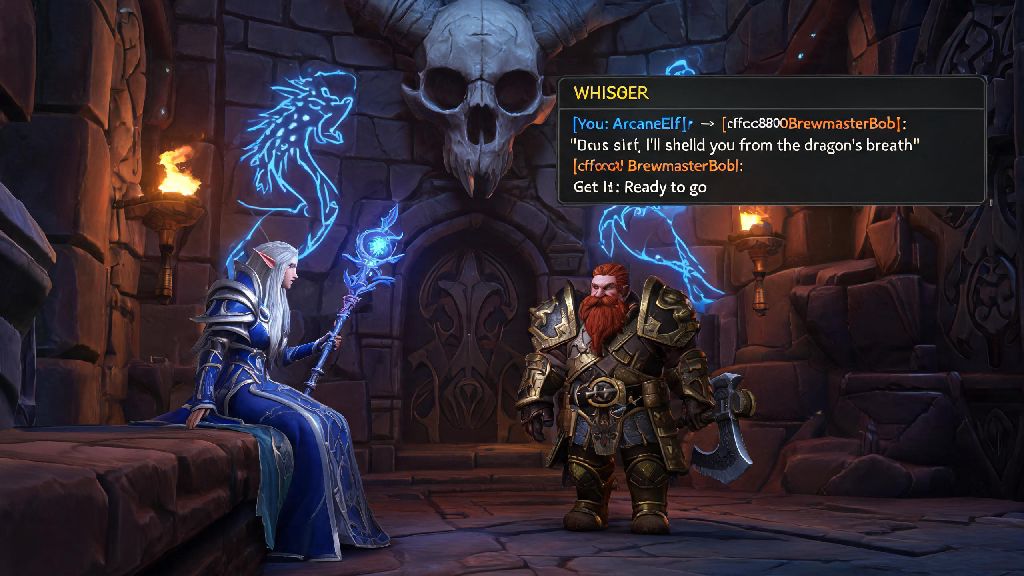
If you're playing with default game settings, you don't need any third-party tools to send a whisper, and the process works exactly the same for both retail and Classic servers. The simplest way is to right-click a player's name in chat, your guild roster, group list, or even on their character model if they're standing near you, and select the "Whisper" option from the dropdown menu. That will automatically open a chat line pre-filled with their name and the whisper tag, so all you have to do is type your message and hit enter.
If you know the player's exact name, you can also type the command manually. Hit enter to open your chat box, type /w [player full name] [your message], and hit enter again to send. Note that you need to spell their name exactly, including capitalization and any special characters like accents, for the message to go through. If you're replying to a whisper someone sent you first, you don't have to type their name at all. Just hit enter and type /r, and the chat box will auto-fill the last person who sent you a whisper. That's a huge time saver, especially if you're getting multiple messages at once during a busy raid or mythic+ run. If you play WoW on console, you can navigate to a player's name with your controller, press the options button, and select whisper from the menu, and the /r reply command still works if you have a keyboard connected.
Common Whisper Settings You Should Adjust for Better Privacy
A lot of new players don't realize you can tweak whisper settings to avoid spam or unwanted messages, and these tweaks take less than a minute to set up. First, you can block whispers from players who aren't on your friends list if you don't want random people messaging you with gold offers or boost scams. Go to your interface settings, click the "Social" tab, and check the box that says "Block whispers from strangers". That won't block people you've already messaged first, or players in your guild or group, so it's a safe option if you get a lot of spam on high-population servers.
Another setting you should change is the whisper notification sound. By default, WoW plays a small chime when you get a whisper, but you can turn that up, turn it off, or even set a custom sound if you want to make sure you don't miss messages from friends. I also recommend setting up a separate chat tab just for whispers and guild messages, so they don't get lost in general chat spam or combat logs when you're farming open world content. One quick note: you can only send whispers to players on the same faction as you, unless you're on a roleplay server that has cross-faction chat enabled for specific channels.
Fixing the Most Common Whisper Errors in WoW
Even if you know how to whisper in World of Warcraft, you'll probably run into errors every once in a while, especially if you're playing on a busy server during peak hours. Most of these errors are easy to fix once you know what's causing them:
If you're getting repeated errors even when you're messaging people you know are online, try restarting your game client, or disabling any chat addons you have installed. Sometimes outdated addons like Prat or ElvUI chat modules can break whisper functionality until you update them. I ran into this issue last year when the Dragonflight pre-patch dropped, and all I had to do was update my ElvUI install to fix it in two minutes.
Useful Add-ons to Enhance Your WoW Whisper Experience
If you use whispers a lot for guild coordination, trading, or chatting with friends while you play, there are a few add-ons that make the experience way smoother, and they work for both retail and Classic servers. First, Prat 3.0 is the most popular chat addon, and it lets you customize every part of your whisper experience: you can change the color of whispers from different players, set up auto-replies if you're AFK or in a raid, and even save your whisper history so you can look back at old messages you sent days or weeks ago. It also lets you filter out spam whispers from gold sellers before they even hit your chat box, which is a huge quality of life upgrade.
Another great addon is WhisperPop, which pops up a small, unobtrusive window on your screen whenever you get a new whisper, so you don't have to keep checking your chat tab during intense combat. It also lets you reply directly from the pop-up window without opening your main chat box, which is a lifesaver during high-key mythic+ runs or progression raid fights. One thing to note: Don't install any addons that claim to let you send whispers to opposing faction players, because those are almost always against Blizzard's terms of service, and you could get your account banned for using them. Stick to well-known, widely used addons from trusted sources to avoid account issues.
At the end of the day, learning how to whisper in World of Warcraft is one of the most basic, useful skills you can pick up as a new player, and it only takes a couple of minutes to get the hang of. Whether you're asking for help with a quest, coordinating a guild event, or just chatting with a friend while you farm mounts, whispers are the best way to keep your conversations private and free from the chaos of public chat channels. Play around with the settings and addons we mentioned to find a setup that works for you, and don't be afraid to send a whisper to a stranger if you have a question about their transmog or build—most players are happy to help.