If you’ve ever been frustrated that no existing WoW addon does exactly what you want for your daily mythic+ runs, auction house flips, or pet battle tracking, you’ve probably wondered how to make world of warcraft addons that fit your exact playstyle. I’ve been there too – I spent years settling for janky workarounds combining 3 different addons just to track my rogue’s combo points and cooldowns the way I liked, before I finally decided to try building custom WoW addons on my own. You don’t need a computer science degree to pull this off, either; most simple addons only require basic knowledge of a few simple tools and a little patience to get right. Even if you only ever make small personal tools for your own use, learning how to create WoW addons can completely change how you interact with the game.
What You Need Before You Start Building Your WoW Addon
WoW addons are built using Lua, a lightweight, beginner-friendly scripting language that’s used across tons of games for modding. You don’t need to memorize the entire Lua library to build simple addons, either – most basic functions only require a handful of common commands that you’ll pick up after a few hours of practice. You also need a plain text editor; Notepad++ or Visual Studio Code both work great, and both are free to download. Avoid using rich text editors like Microsoft Word, as they add hidden formatting that will break your addon when you try to load it in game.
The full list of prerequisites for your first build is short, so you can get started in just a few minutes:
So if you’re not sure where to start with your first addon, pick a very small, specific goal first. For example, my first addon just showed a small pop-up message whenever my shaman’s lightning shield buff fell off. It was super simple, but it gave me a clear target to work towards without feeling overwhelming.
How to Make World of Warcraft Addons: Your First Step-by-Step Build
Start by navigating to your World of Warcraft install folder, then open the retail (or classic) folder, then Interface, then AddOns. Create a new folder here with the name of your addon – use no spaces, just letters and numbers, like MyFirstCooldownTracker. Inside that folder, you need two core files: a TOC file, and a Lua file. The TOC file is like the instruction manual for WoW, telling the game what your addon is called, what version it is, and what files it needs to load.
Name the TOC file the exact same name as your folder, so MyFirstCooldownTracker.toc. Open it in your text editor, and add the basic required lines first: the interface version number (you can find the latest current interface version on WoW’s official dev site), your addon title, notes, and the name of your Lua file. Then open your Lua file, also named the same as your folder, MyFirstCooldownTracker.lua.
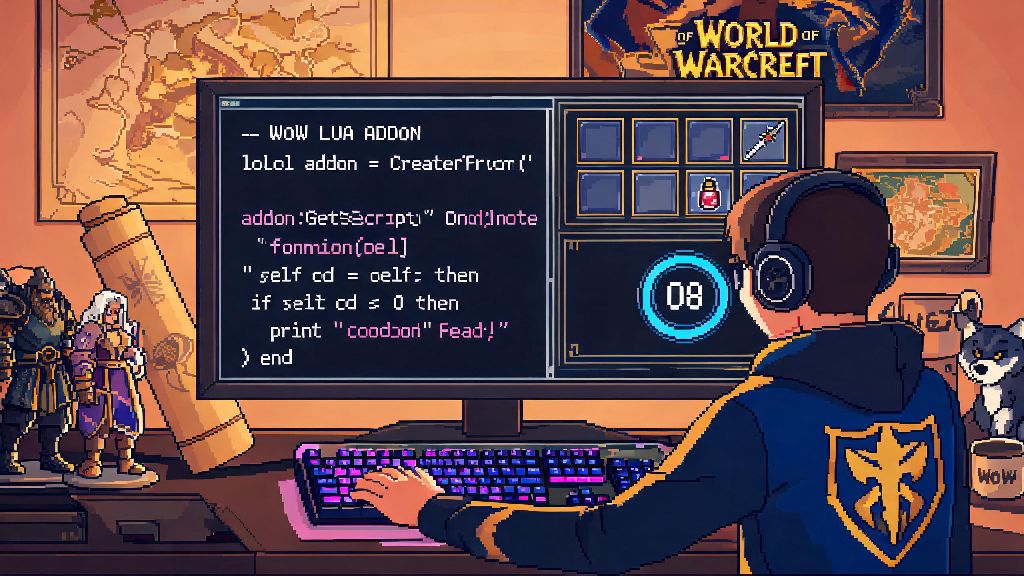
For this first build, we’re going to make a simple addon that shows a message in your chat window whenever you log in. Add the line print("My first addon loaded successfully!") to the Lua file, save both files, then boot up WoW. On the character select screen, click the AddOns button in the bottom left corner, make sure the “Load out of date AddOns” box is checked if needed, and enable your new addon. Log into your character, and you’ll see your custom message pop up in the chat window. That means your addon is working! It’s that simple to get the basics up and running. You can build on this base by adding more complex functions over time, like event triggers that fire when your character’s health drops below a certain threshold, or when you enter a dungeon.
Common Mistakes to Avoid When Building WoW Addons
The most common mistake new addon developers make is using outdated API calls. WoW receives regular patches that change or remove old API functions, so if you’re following a guide that’s several years old, some of the code snippets might not work anymore. Always cross-reference any commands you use with the latest official WoW API documentation to make sure they’re still supported. Another common issue is forgetting to test your addon with other popular addons enabled. Even if your addon works perfectly when it’s the only one loaded, it might conflict with other widely used addons like Deadly Boss Mods or WeakAuras if you don’t test for overlaps.
Don’t hardcode values that players might want to adjust, either. If you’re building a cooldown tracker, for example, let players change the size or color of the tracker window instead of locking it to one specific look. That small tweak will make your addon far more useful to a wider range of players. Also, make sure you don’t use more system resources than you need to. If your addon runs a check every single frame for a buff that only refreshes every 30 seconds, you’re wasting CPU power that can cause frame drops for players on lower-end PCs. Use event-based triggers instead of constant loops whenever possible to keep your addon lightweight.
A lot of people new to how to make World of Warcraft addons assume they need to build every part of their project from scratch, but using pre-built libraries like Ace3 is perfectly acceptable and saves you tons of time. These libraries are maintained by experienced addon developers, so they’re far less likely to have bugs than code you write from scratch for common functions like settings menus or event tracking.
How to Refine and Share Your Finished WoW Addon
Once you’ve got your addon working the way you want it to, spend a little time polishing it before you share it with other players. Add clear, simple instructions for how to use it, especially if it has custom commands or settings. Most players won’t spend more than a minute trying to figure out how to make an addon work, so if your setup is confusing, people will just uninstall it. If you want to add a settings menu, you can use pre-existing libraries like Ace3 that take most of the hard work out of building custom user interfaces. These libraries are widely used by addon developers, and they’re compatible with almost all popular addons, so you don’t have to worry about conflicts.
You can also add localization support if you want players from other regions to be able to use your addon. That means separating all the text that shows up in game into a separate file, so other contributors can translate it into different languages without changing your core code. Before you publish your addon publicly, run it through a quick code check to catch any typos or unused lines of code that might cause errors. You can use free online Lua linters for this, or use the built-in debugging tools in Visual Studio Code to catch issues early.
If you do share your addon, be open to feedback from other players. They might find bugs you missed, or suggest features you never thought of that make your addon even better. Many of the most popular WoW addons today started as small personal projects that grew based on community feedback, so don’t dismiss suggestions out of hand even if they don’t fit your original use case.
Learning how to make world of warcraft addons is a fun, rewarding project that can make your time in Azeroth feel far more personalized, even if you only ever build small addons for your own use. You don’t need to be a professional coder to make something useful, and every small addon you build will teach you more skills you can use for more complex projects later. Even if you never share your work with anyone else, building your own tools to fit your exact playstyle is one of the best ways to make WoW feel truly yours. If you get stuck at any point, there are tons of active communities of WoW addon developers who are happy to help new creators figure out issues, so don’t be afraid to ask for help when you need it.