If you’ve seen friends post clips of their latest raid clears, or stumbled on viral WoW lore deep dives on social media, you’ve probably wondered what makes this 20-year-old MMO so beloved. It still boasts one of the most active, passionate player bases in gaming, and there’s never been a better time to jump into the world of Azeroth. But before you can run your first dungeon or pick your first character class, you need to figure out how to get World of Warcraft without wasting money or running into frustrating setup errors. I’ve been playing WoW on and off since Wrath of the Lich King, and I’ve walked through this process dozens of times for friends and new guild members, so this guide breaks down every step you need to know.
How to Get World of Warcraft: Official Purchase and Subscription Options
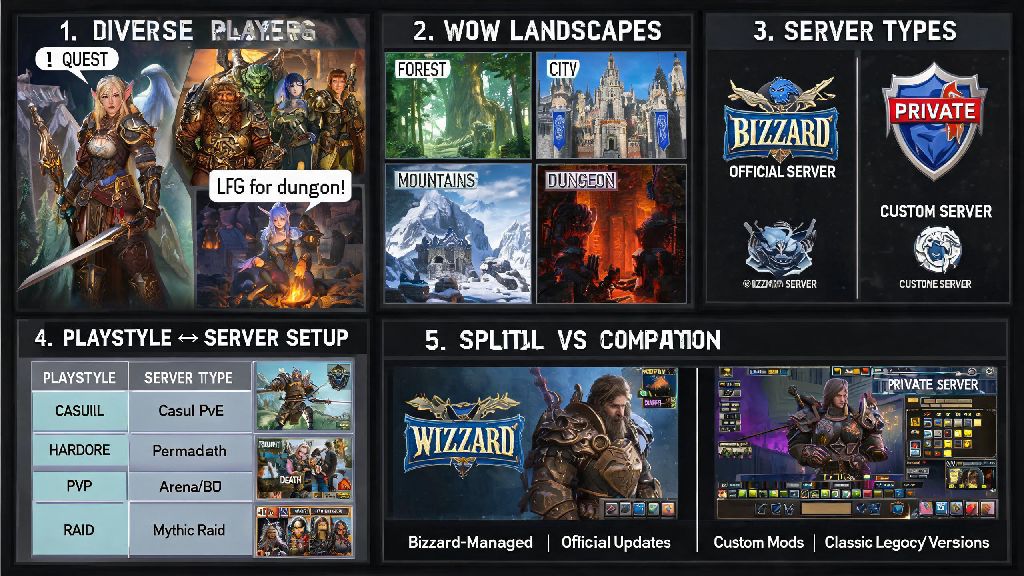
The only safe way to get WoW is through official Blizzard channels, and you have a few different options to pick from depending on your budget and how much content you want to access. A lot of new players get overwhelmed by the different packs and subscription tiers, but they’re all pretty straightforward once you know what each includes. If you’re wondering how to get World of Warcraft without paying anything upfront, the free trial is your best bet.
- Free Trial: No cost, access to all content up to level 20, no credit card required, perfect for testing if you like the game before spending money. Limitation: You can’t join guilds, trade with other players, or access expansion content.
- Standard Subscription: Recurring monthly, 3-month, or 6-month plan, unlocks all legacy expansions (everything before the latest one) immediately, plus full access to social features, dungeons, raids, and PvP. 6-month plans often include exclusive in-game rewards like mounts or pets.
- Latest Expansion + Game Time Bundle: One-time purchase that includes access to the newest expansion and 30-90 days of pre-paid game time, ideal for players who know they want to experience the most recent content right away.
You might see cheap WoW keys or subscription codes on third-party reseller sites, but I’ve seen three friends get their accounts permanently banned last year alone for buying stolen game keys, so it’s never worth the 20% discount. If you want pre-paid game time, buy it directly from Blizzard or authorized retailers like Amazon or GameStop, you’ll get a valid code that won’t get your account flagged. No matter which option you pick when you’re figuring out how to get World of Warcraft, always stick to official channels to protect your account and your money.
Step-by-Step Setup and Installation for New Players
Before you learn how to get World of Warcraft running on your device, you first need a valid Battle.net account. Use an email address you check regularly, and set up two-factor authentication right away. Two-factor authentication is non-negotiable for WoW accounts, as account theft is surprisingly common for MMOs, and 2FA will stop 99% of unauthorized access attempts.
Once your account is set up, download the Battle.net desktop app, which is available for both Windows and Mac. It runs on most mid-range laptops, even if you don’t have a high-end gaming PC, so you don’t need to drop a bunch of money on new hardware to play. When you log into the app, find World of Warcraft on the game list, and select the version you want to install: the main retail version is the default, but you can also select Classic WoW if you want to play the older, throwback version of the game.
The retail installation is around 100GB, and Classic is around 70GB, so make sure you have enough free space on your drive. If you have a slow internet connection, you can start playing once the initial 20GB is downloaded, and the rest will install in the background while you play the starting zones. Once the installation is finished, you can launch the game directly from the Battle.net app, and log in with your account credentials. If you bought an expansion or pre-paid game time, it will automatically be linked to your account, so you don’t need to enter any extra codes manually.
Essential First Steps After You Log Into WoW for the First Time
Once you’ve gone through all the steps to get World of Warcraft installed and logged in, there are a few quick things to do before you start questing. First, pick a server: if you have friends who already play, pick the same server and faction as them, because cross-server guilds are limited, and you won’t be able to hang out in the open world together if you’re on different servers. If you don’t know anyone who plays, pick a “Normal” population server: avoid full servers because you’ll have to wait in long queues during peak hours, and avoid low-population servers because there won’t be many people to play with.
Next, pick your class and race. A lot of new players spend hours researching the “meta” or best class for endgame content, but that’s a waste of time for your first playthrough. The best class for you is the one you think looks fun to play, and you can always make alternate characters later if you want to try something new. If you like casting spells from a distance, pick a Mage or Warlock. If you like getting up close and hitting things, pick a Warrior or Rogue. There’s no wrong choice here.
Go through the starting zone tutorial, even if you’ve played other MMOs before. WoW has a lot of unique mechanics that other games don’t use, and the tutorial will walk you through everything from basic controls to how to pick up quests and fight enemies. Once you hit level 15, you can use the group finder tool to join random dungeons with other players, which is a great way to learn group content and get better gear. Most players are really friendly to new players, so don’t be afraid to ask questions in chat if you get stuck.
Common Mistakes to Avoid When Getting World of Warcraft for the First Time
A lot of new players run into avoidable issues when they’re first learning how to get World of Warcraft, so these tips will save you time and stress. First, don’t buy expensive deluxe expansion bundles before you test the game. I see so many new players drop $80 on the fanciest edition of the latest expansion before they even play the free trial, and then they realize they don’t like the game, so that’s wasted money. Always play the free trial first, even if you’re 100% sure you want to play, it will give you a feel for the controls and the world before you spend any money.
Second, never share your account information with anyone. Never give your Battle.net password or 2FA codes to anyone, even people who say they’re Blizzard support. Blizzard support will never ask for your password or 2FA codes, so if anyone messages you in game or via email asking for that info, it’s a scam, and you should report it immediately.
Third, don’t ignore the system requirements. WoW is pretty forgiving for low-end PCs, but if you’re running a laptop that’s more than 8 years old with no dedicated graphics card, you’re going to have a really laggy experience, even on the lowest settings. You can check the official system requirements on Blizzard’s site before you download, to make sure your device can run it smoothly.
Fourth, don’t pick a PvP server by accident. If you don’t like getting attacked by other players while you’re trying to do quests, PvP servers are not for you. On PvE servers, you can only be attacked by other players if you opt in to PvP, so that’s the best choice for most new players. Always opt for a PvE server for your first playthrough unless you specifically enjoy open-world player vs player combat.
Getting into WoW doesn’t have to be complicated, and once you get past the initial setup, you have decades of content to explore, from classic zones first released in 2004 to the latest expansion’s sprawling open world. Whether you want to play casually for an hour a week or grind endgame raids with a guild, there’s a place for you in Azeroth. You don’t need to spend hundreds of dollars to learn how to get World of Warcraft and start having fun, the basic subscription is more than enough for most new players. The only thing left to do is pick your class, make your character, and start your first adventure.