If you’ve been scrolling through Twitch clips of dragon raids or hearing friends rave about the new World of Warcraft expansion, you’ve probably asked yourself at some point: how do i buy world of warcraft without running into unnecessary hassle or scams? As a long-time WoW player who’s helped over a dozen new friends get set up over the years, I’m breaking down every part of the process, from picking the right edition to getting logged in for your first quest, with no confusing jargon or hidden fine print. We’ll also cover red flags to watch out for so you don’t waste money on invalid keys or fake accounts.
Step 1: Choose the Right World of Warcraft Edition for Your Needs
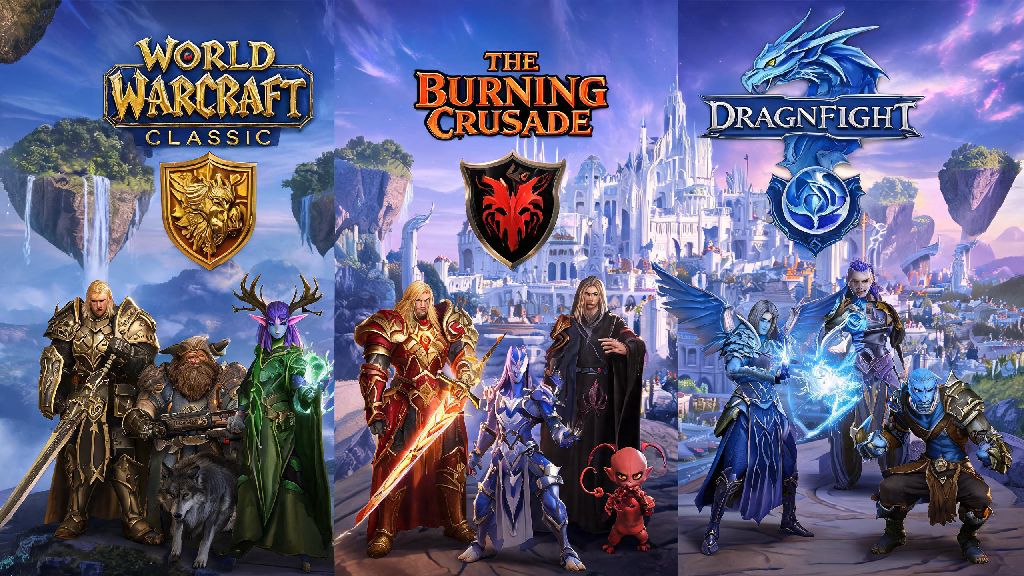
Blizzard offers three main editions of World of Warcraft, and the right pick for you depends entirely on how much you plan to play and what extra perks you want. You don’t need to buy old expansions separately anymore, as all previous content is rolled into the base game purchase, which is a common point of confusion for returning players who haven’t bought the game in 5+ years. Base Edition gives you access to all current content including the latest expansion, no extra frills, and is the best pick for brand new players who aren’t sure if they’ll stick with the game long term. Heroic Edition adds a level 60 boost, a unique flying mount, and some in-game cosmetics, great if you want to skip the early leveling grind to play with friends who are already at endgame. Epic Edition is for diehard fans, with extra pets, cosmetic items, and 30 days of game time included, so it’s only worth the extra cost if you know you’ll be playing consistently for at least a month. You can always upgrade your edition later if you start with the Base version, so don’t feel pressured to splurge on the most expensive option right away.
Official Places to Buy World of Warcraft Safely
Sticking to official or authorized sellers is the only way to guarantee your purchase is valid and won’t be revoked later. The most reliable option is buying directly from the Blizzard Battle.net store, as your purchase will be automatically added to your account immediately after payment goes through, no need to redeem a separate key. You can also buy valid game keys from authorized physical and digital retailers, as long as you verify they are approved by Blizzard first. Follow these simple rules to avoid issues:
How Do I Buy World of Warcraft Without Falling for Scams?
Scams targeting new WoW players are surprisingly common, especially around expansion launches when lots of people are buying the game for the first time. The most frequent scam you’ll see is fake social media posts or emails promising heavily discounted or even free copies of the game, usually in exchange for clicking a link and entering your personal or account information. Never share your Battle.net account credentials with anyone offering to buy the game for you at a discount, as they’ll steal your account and any personal info linked to it, including payment methods you have saved for future purchases. Another common scam is sellers offering “pre-activated” accounts with the game and rare cosmetics included, but these are almost always stolen or hacked accounts that will be banned within a few weeks of you buying them. If you do buy a key from an authorized retailer and it doesn’t work, contact the retailer first with your proof of purchase, then reach out to Blizzard support if the retailer can’t resolve the issue. They can usually validate legitimate purchases and add the game to your account within 24 hours, as long as you have a receipt or order confirmation.
What to Do After You Buy World of Warcraft
Once your purchase is confirmed, you’ll either see the game automatically added to your Battle.net account (if you bought directly from Blizzard) or get a digital key to redeem in the Battle.net launcher (if you bought from a third-party authorized retailer). Redeeming the key only takes a few seconds: just open the launcher, click your account name in the top right corner, select “Redeem a Code”, and enter the key exactly as it appears in your order confirmation. The full game download is around 100GB, so make sure you have enough space on your hard drive before you start, and expect it to take a few hours depending on your internet speed. Set up two-factor authentication on your Battle.net account before you log in for the first time to protect your purchase and any future in-game items you earn, it only takes a minute and prevents almost all account hacking attempts. Once the download is finished, you can create your first character, pick your server, and jump right into the game. If you bought the Heroic or Epic edition, your level boost, mounts, and other bonus items will be waiting for you in your in-game mailbox as soon as you log into your first character. If you’re a brand new player, don’t rush through the early quests — they’re designed to teach you the game mechanics slowly, so you don’t get overwhelmed when you reach endgame content.
At the end of the day, figuring out how do i buy world of warcraft doesn't have to be complicated, as long as you stick to official channels, pick the edition that fits your playstyle, and watch out for common red flags. Whether you're jumping in for the first time to explore the latest expansion or coming back after a long break to catch up with old friends, the setup process only takes a few minutes if you follow the steps we laid out. Once you're logged in and creating your first character, you'll be ready to jump into one of the most immersive MMOs ever made, with thousands of hours of content waiting for you to explore.