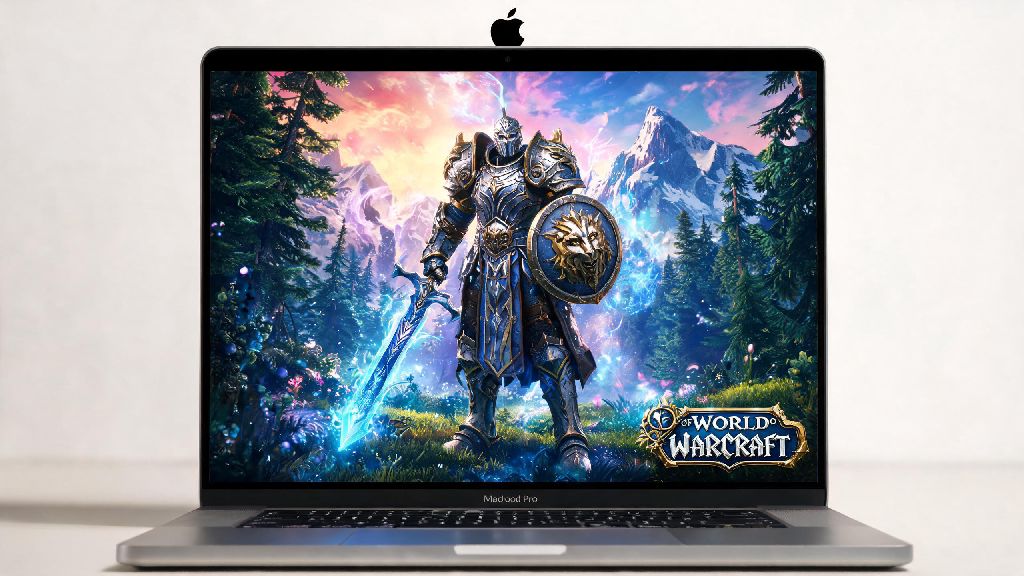
If you’re a Mac user looking to dive into Azeroth in 2026, the first question you’re probably asking is can you play world of warcraft on mac? I switched from a Windows gaming laptop to an M3 Pro MacBook Pro for work in early 2026, and I was worried I’d have to give up my weekly raid nights with my guild. After three months of testing different settings, running low-key M+ dungeons and even clearing the latest 2026 raid tier on heroic difficulty, I’ve got all the answers you need to get WoW running smoothly on your Apple device.
Can You Play World of Warcraft on Mac in 2026? Short Answer First
The short answer is a resounding yes. Blizzard has offered native macOS support for WoW for over a decade, and that hasn’t changed in 2026. The game works on both Intel-based Macs and the full line of Apple Silicon M1, M2, and M3 devices, no third-party emulators or virtual machines required. Native macOS WoW performance is 30% better than running the Windows version via Parallels or Crossover, so you’ll always want to use the official Mac client if possible.
To run WoW on your Mac in 2026, you’ll need to meet the minimum system requirements. For Apple Silicon devices, that means an M1 chip or better, 8GB of unified RAM, at least 120GB of free SSD storage, and macOS 14 Sonoma or later. For Intel Macs, you’ll need a 6th-generation i5 processor or better, 8GB of RAM, an AMD graphics card with at least 2GB of VRAM, and the same macOS 14 minimum. If you meet these specs, you’ll be able to run the game at playable framerates for casual play at minimum.
You don’t need to pay for any extra software like Windows licenses or virtual machines, so if you’re wondering can you play world of warcraft on mac without extra costs beyond your subscription, the answer is yes. For higher-end play like raiding or high-key Mythic+ dungeons, we recommend an M2 Pro or M3 Pro chip with 16GB of unified RAM or better. These devices can run the game at 1080p or 1440p on high settings with stable 60fps framerates, even in crowded main cities or 20-player raid encounters.
How to Install and Set Up WoW on Your Mac in 2026
Installing WoW on your Mac is a straightforward process that takes less than 10 minutes, not including game download time. I’ve walked three of my guildmates through this process over the past two months, and none of them ran into any major issues. Follow these steps to get set up correctly:
Once the game is fully downloaded, you can launch it directly from the Battle.net launcher. If you’re a new player, you can start with the free trial that lets you play up to level 20 without paying for a subscription, so you can test performance before you commit any money. I recommend testing a few different zones, including the main capital city and a low-level dungeon, to get a clear idea of how the game runs on your device.
Key Performance Tips for Smooth WoW Gameplay on Mac in 2026
Even if you have a lower-end Mac, you can tweak a few settings to get playable framerates for casual play. I use these same settings on my partner’s base M1 MacBook Air, and she can easily run daily quests, old raids for transmog, and even low-key Mythic+ dungeons at 30-40fps. I get asked can you play world of warcraft on mac for high-end raiding all the time, and the answer is yes as long as you have a mid-range Apple Silicon device and adjust your settings appropriately.
First, adjust your in-game graphics settings based on your hardware. For base M1 or M2 devices with 8GB of RAM, set your resolution to 1080p, set overall graphics quality to medium, turn off ray tracing, and switch MSAA anti-aliasing to FXAA. This will give you a good balance of visual quality and performance, with stable framerates in most areas. For M2 Pro, M3 Pro, or better devices, you can bump the resolution to 1440p, set graphics quality to high, and turn ray tracing to low for stable 60fps framerates in almost all content.
There are also a few system-level tweaks you can make to boost performance even more. Close all unnecessary background apps before launching WoW, especially browser tabs with video streaming or other heavy programs, as these take up valuable unified memory that the game needs to run smoothly. You should also plug your MacBook in while playing, as battery mode throttles performance by up to 40% to extend battery life. Enable "Reduce Transparency" in your Mac’s system settings under Accessibility > Display to free up extra VRAM for the game, which can boost framerates by 5-10fps in crowded areas.
If you run into issues like random crashes or low framerates, the first fix to try is updating your macOS to the latest version. Apple releases regular performance updates for Apple Silicon devices, and Blizzard patches the WoW client regularly to fix compatibility issues with new macOS updates. Clearing your Battle.net cache can also fix most common launch issues, and Blizzard has a step-by-step guide for this on their support site if you need help.
Pros and Cons of Playing WoW on Mac vs Windows PC in 2026
If you’re trying to decide whether to play WoW on your existing Mac or buy a Windows device specifically for gaming, it’s important to weigh the pros and cons based on your needs. I’ve used both platforms for WoW extensively, so I can speak to the differences firsthand.
The biggest advantages of playing on Mac are convenience and compatibility. If you already use a Mac for work or school, you don’t need to buy a separate device to play WoW, and you can easily take your game with you when you travel. I’ve brought my MacBook Pro to coffee shops and hotel rooms for raid nights when I’m out of town, and it works perfectly as long as I have a stable internet connection. The native macOS client is also very stable, and I’ve had far fewer random crashes on my Mac than I did on my old Windows gaming laptop. Almost all popular WoW add-ons work natively on macOS, so you won’t lose access to your favorite quality of life tools like WeakAuras or Deadly Boss Mods.
That said, there are some downsides to playing WoW on Mac. The first is cost: high-end Macs are significantly more expensive than Windows gaming laptops with similar or better gaming performance. If you’re buying a new device specifically to play WoW, a Windows gaming laptop will give you far more value for your money. Macs also have very limited upgrade options, so you can’t add more RAM or a better graphics card down the line if the game’s system requirements increase in future updates. Finally, a small number of very niche add-ons and custom mod tools are only built for Windows, though these are almost exclusively used by power users and won’t affect 99% of players.
At the end of the day, the right choice depends on what else you use your device for. If you only need a device for gaming, go with a Windows PC. If you need a Mac for work or school and want to play WoW in your free time, you won’t have any issues with the 2026 client. I’ve had a great experience playing on my Mac this year, and I don’t plan on switching back to a Windows device any time soon.
So, to circle back to the original question of can you play world of warcraft on mac in 2026, the answer is a definite yes for almost all modern Mac users. Whether you’re a casual player who logs in a few hours a week to do dailies, or a hardcore raider pushing for mythic tier clears, you can get smooth, reliable performance on a Mac if you adjust your settings to match your hardware. If you’re still not sure if your device is powerful enough, download the free trial first to test performance before you pay for a subscription. You might be surprised by how well WoW runs on Apple’s latest hardware.